
C Programming – Get Started
Learn C from scratch with Codekilla! This guide will take you step-by-step to write and run your first C program.
Step 1: Install Code::Blocks IDE
Code::Blocks is a free IDE that comes with a compiler (GCC).
Steps:
- Go to Code::Blocks Official Website
- Download mingw-setup.exe.
- Run the installer and follow instructions.
- Keep default settings to include the compiler.
Tip
IDE = Editor + Compiler + Debugger – everything you need in one place.
Step 2: Open Code::Blocks
- Launch Code::Blocks.
- You will see the main interface with menus: File, Edit, Build, Debug.
Step 3: Create a New C File
- Go to File > New > Empty File.
- Click Next, then Finish.
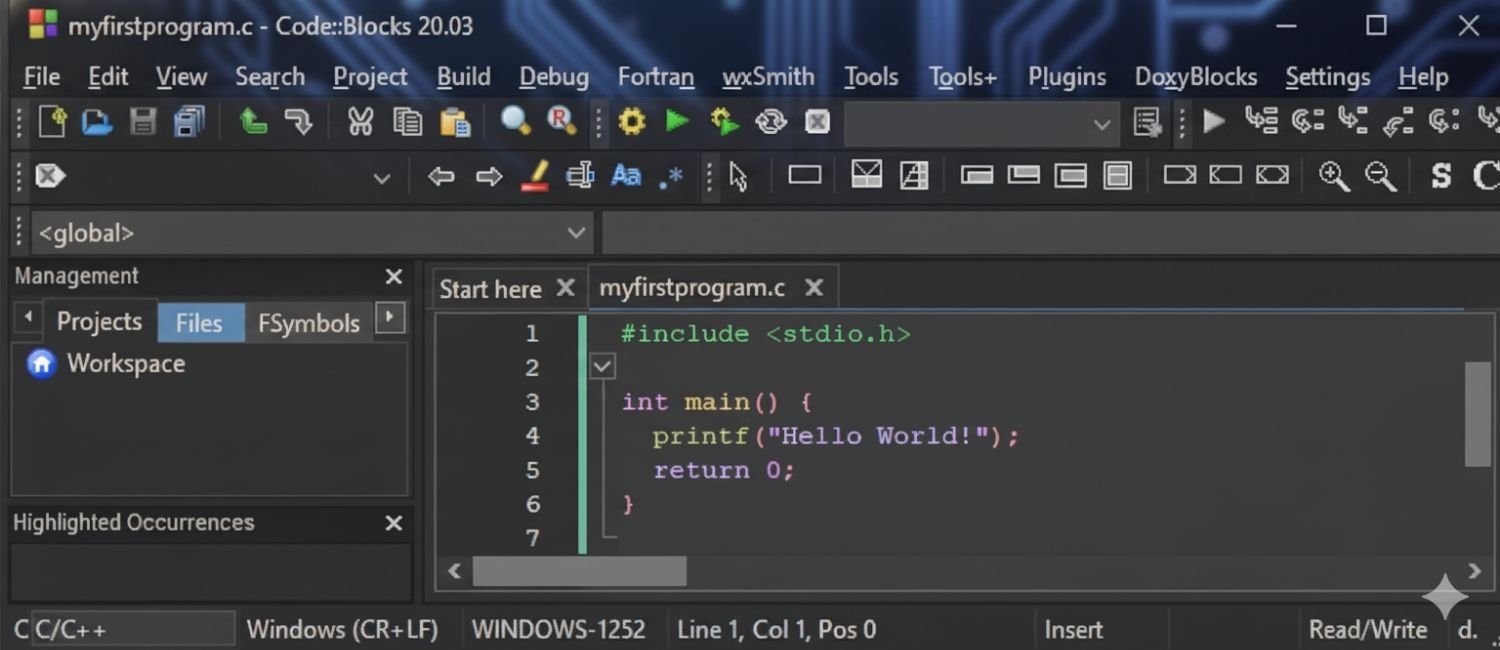
Step 4: Write Your First Program
- Type the following code:
- Save the file as myfirstprogram.c (File > Save File As).
Step 5: Build and Run
- Go to Build > Build and Run or press F9.
- The console will show:
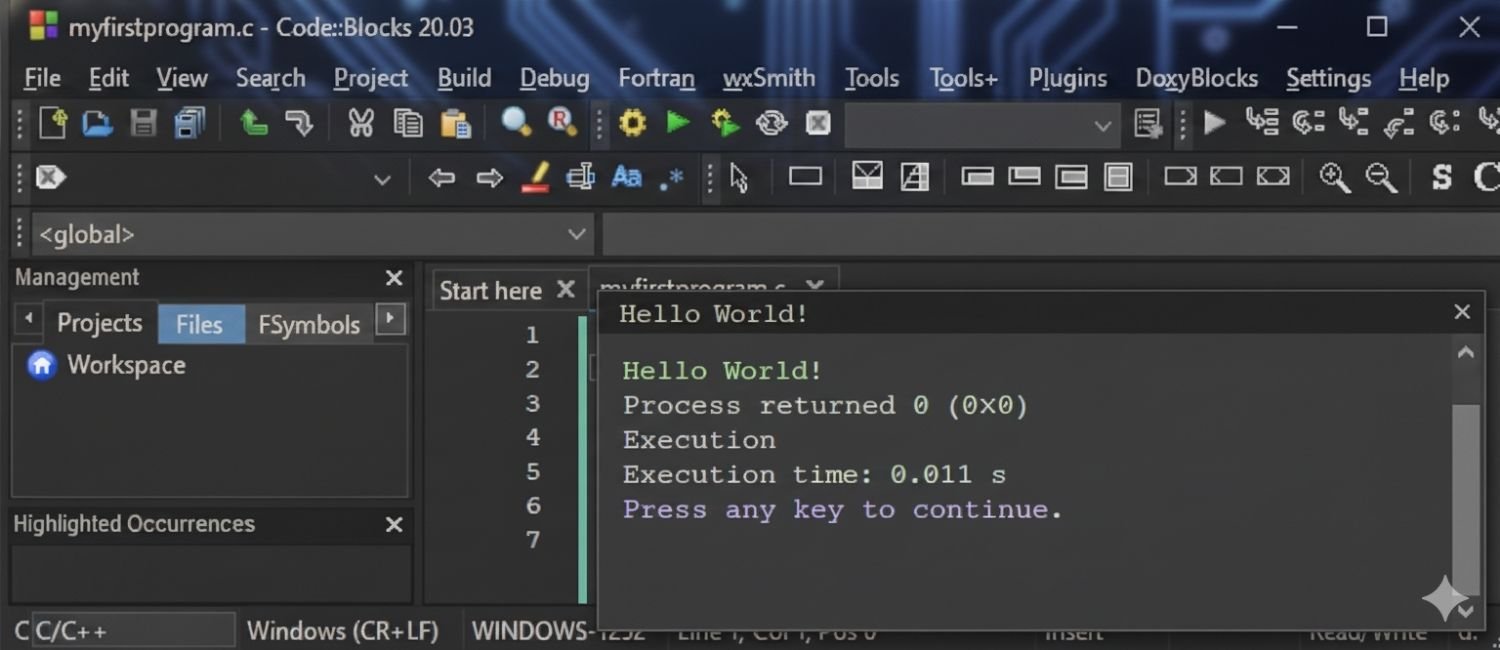
Congratulations! Your first C program is now running.


